> For the complete documentation index, see [llms.txt](https://developers.citrusad.com/llms.txt). Markdown versions of documentation pages are available by appending `.md` to page URLs; this page is available as [Markdown](https://developers.citrusad.com/integration/reference/order-data-1.md).
# Order data
{% hint style="info" %}
Epsilon Retail Media's documentation is now centralized with our knowledgebase!
For up to date guides, please view [this page](https://help.citrusad.com/retail-media-interface/integration/data-api/order-data-1) in the new Integration APIs space of our documentation.
{% endhint %}
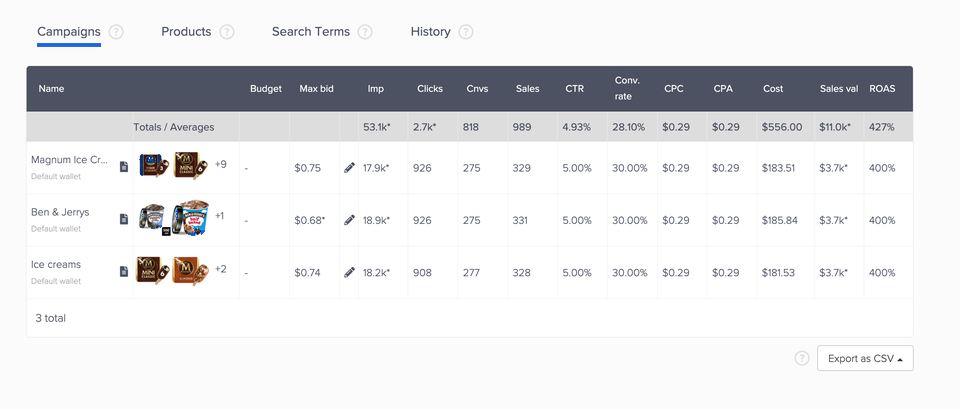
Epsilon Retail Media requires order data to generate relevant ads. Syncing orders is also highly valuable for advertiser and retailer dashboards within the Epsilon Retail Media portal, as orders are used in sales, conversion, sale value and ROAS calculations. This data is extremely useful for advertising teams, as they can analyse investment effectiveness, and contribute additional spend in response.
Campaign screen image
## Syncing order data
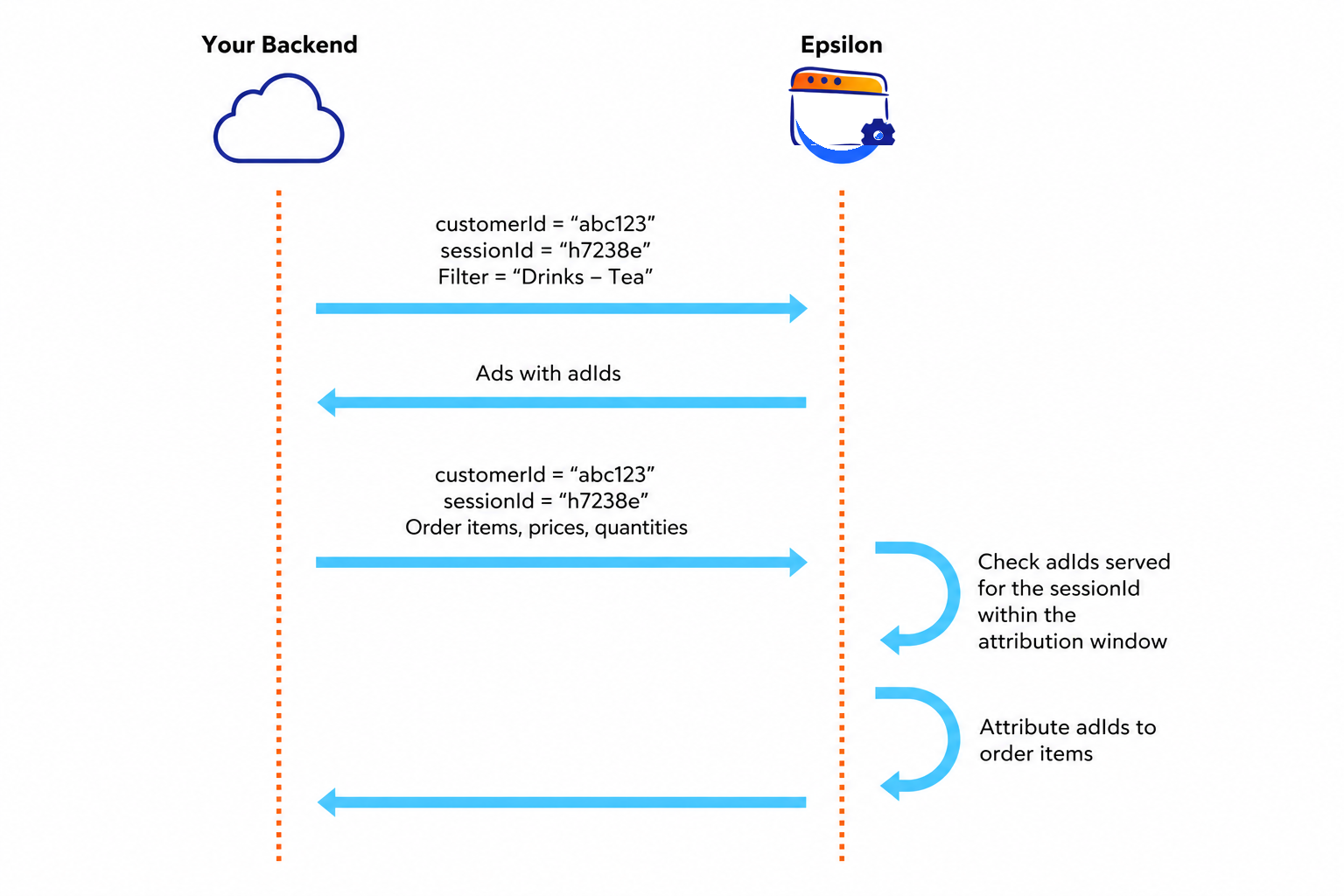
Synchronising order data involves the retailer sending a customer's **`sessionId`** in the ad request, then in the order data sync with Epsilon Retail Media. With this information, Epsilon Retail Media is able to review the `adId`s provided for the `sessionId`'s ad requests and attribute accordingly within the configured attribution window.
If desired, the `sessionId` can be substituted with a long-term hashed customer identifier to attribute across sessions. To learn more, please speak to your Technical Account Manager.
#### Integration requirements
With this integration, you are required to send Epsilon Retail Media the customer's unique session identifier in the ad request and order confirmation, like the example below:
```json
{
"orders": [
{
"customerId": "npc-s243-ir",
"catalogId": "6adb93d0-7he4-4d4e-9b47-e5d3714c976a",
"sessionId": "5cat7-9964-4f",
"orderDate": "2021-12-02T15:00:00Z",
"id": "3h30e938-c158-4d78-a0af-b48bbwfrcss4",
"orderItems": [
{
"gtin": "9891998566P",
"quantity": 3,
"regularUnitPrice": "1.00",
"totalOrderItemPriceAfterDiscounts": "3.00"
}
]
}
]
}
```
{% hint style="info" %}
This `sessionId` must be the same as what is provided in the ad request sent to Epsilon Retail Media.
{% endhint %}